---
title: "Import Microsoft Word DOCX Ant task"
source: https://dev.pageseeder.com/guide/publishing/ant_api/extensions/task_import-docx.html
description: "This task can be used to import a DOCX Word document as PSML"
last_updated: 2026-08-07T17:09:54+10:00
tokens: ~1225
---
# Task import-docx
This task converts a Microsoft Word document from the DOCX format into the PSML format according to rules expressed in an XML file called [word-import-config.xml](microsoft_word_docx_import_config_usage.md).
A list of the latest changes are available at [github](https://github.com/pageseeder/docx/releases).
To use this Ant extension standalone outside PageSeeder, you can download the `pso-docx-ant-x.jar` and `pso-docx-core-x.jar` files from [maven central](https://search.maven.org/search?q=g:org.pageseeder.docx).
## Task definition
Following are two examples of task definitions.
### Minimal
```xml
```
### Full
```xml
```
## Attributes
| **Attribute** | Description | Required |
| --- | --- | --- |
| **src** | Path of the source file to process. It must point to a `.docx` file | Yes |
| **dest** | Path of the destination folder or file. If no value is specified, this defaults to the folder of the source file. If it doesn’t end with ‘`.psml`’, it is treated as a folder and the destination filename is the source filename in lowercase with spaces changed to underscores. | No |
| **working** | The folder holding temporary files. Defaults to `[java.io.tmpdir]/psdocx-[number]`. | No |
| **componentfolder** | The name of the subfolder where documents referenced by the main document is placed (`""` means no subfolder). Defaults to `components`. *Requires pso-docx version 0.8.0 or higher.* | No |
| **mediafolder** | The name of the subfolder where images are placed. Defaults to `images` (`""` means `[filename]_files`). | No |
| **config** | Path to `.xml` config file | No |
## Usage
### Invoking through the user interface
As part of the PageSeeder Upload interface, the `import-docx` task is associated with files that have an extension of “`.docx`”. After being uploaded into the PageSeeder loading zone, the following **Import options** are available.

- **No processing** – uploads the file as a `.docx` document.
- **Import document as PageSeeder PSML document** – runs the `import-docx` Ant task with the default configuration.
These additional **Developer options** are available:
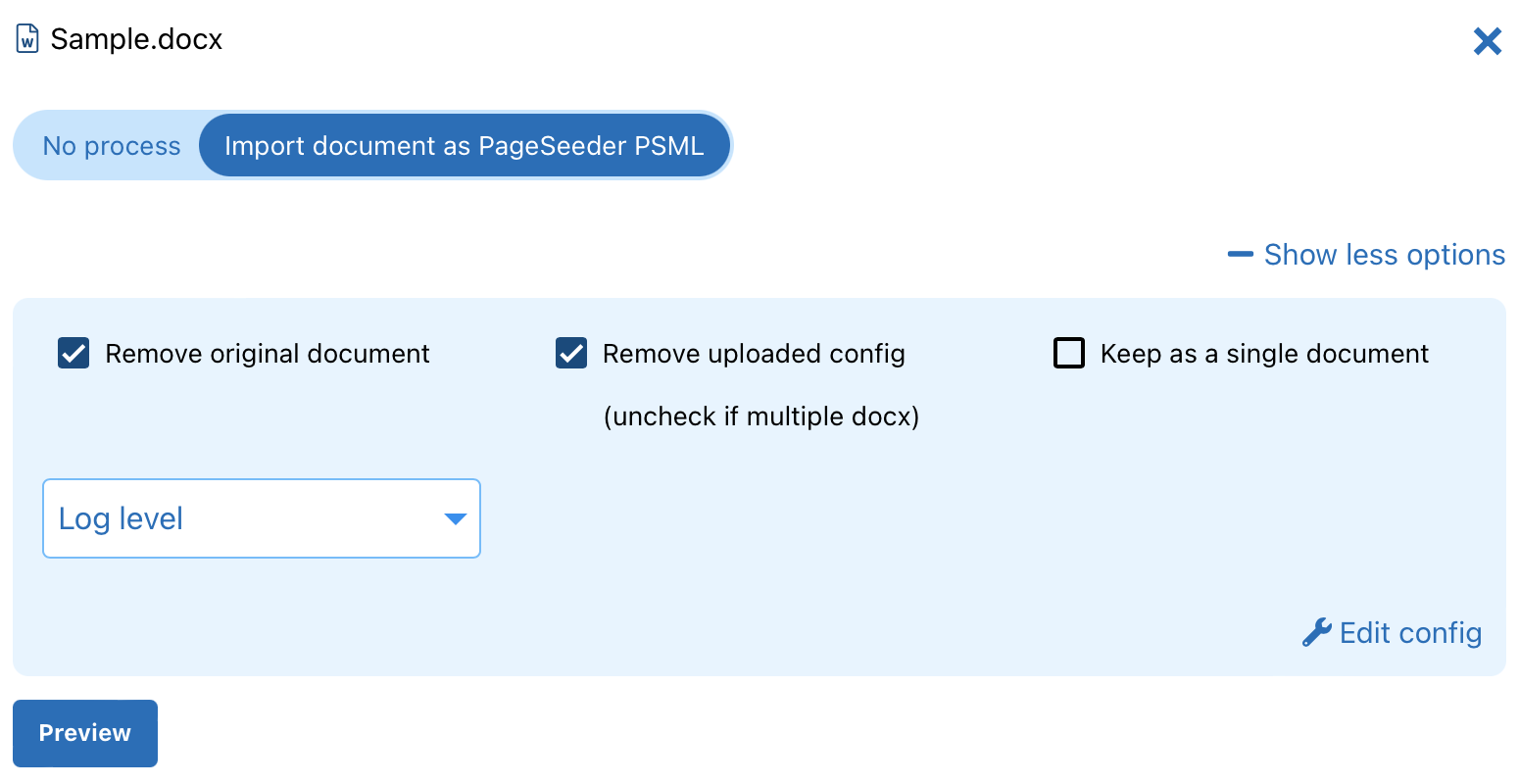
- **Display upload confirmation** – receive confirmation of which files will be overwritten or created.
- **Overwrite metadata and document properties (title, docid, publication id/type, description, labels)** – select to **overwrite** the metadata and properties of existing documents with the same filename, with the metadata and properties attached to the new document you are uploading.
- **Resolve references** – resolve references to documents, images and URLs in the document you are uploading. Clear the checkbox if the referenced objects will be uploaded later, and then resolve references later from the **group maintenance page**.**
****Validate with default Schematron** – runs a Schematron validation on the `.docx` file to ensure the contents can be converted.
- **Index** – index your documents. Clearing this checkbox is not recommended, but indexing can be done later from the Group maintenance page.
### Invoking using Ant
Typically, this task is run through PageSeeder using the [Task loadingzone-get](../tasks/task_loadingzone-get.md) to download the `.docx`* *and [Task loadingzone-put](../tasks/task_loadingzone-put.md) to upload the generated PSML and image files. Running this task without being connected to PageSeeder requires a [\](http://ant.apache.org/manual/Tasks/taskdef.html).
```xml
```
Using a [namespace](http://ant.apache.org/manual/Types/namespace.html) is not required, but it is a good practice for documenting the task. The recommended namespace is ‘**psd**’.
### How does it work?
The Ant task does the following:
1. Loads the config file.
2. Unzips the `.docx` format.
3. Transforms the `.docx` XML files into PSML text and organize the image references.
4. Uploads the content back to a PageSeeder group.